Intro: Leaving the Comfort Zone
For years, Django has been my "lovely partner"—robust, secure, and built like a boss with its "batteries-included" philosophy. I have enjoyed using Django for several client projects, serving over 150,000 users so far. With its blessing, life was peaceful.
But then, there is Next.js. This ecosystem has become "red hot" (火紅). So, I built several "Hello World" grade apps to feel it out.
Gosh! No page refreshes, blazing-fast frontend interaction, everything felt alive. Sure, I can use JavaScript to make similar things happen in Django (my site amice.dev is a Django project does that), but Next.js acts like an active, boisterous youth. It is an inborn playground for JavaScript.
But being youthful may mean less maturity. While my previous trial projects were deployed on Azure App Service (a ready-made "cradle" for apps, but pricey), I recently decided to challenge myself by deploying my first production-grade Next.js web app on a raw Linux server.
That's when I realized: leaving the Django greenhouse means stepping into the wild.
Coding is just half the battle; Deployment is the real war.
The Art of Defense: More Than Just npm start
During the soft launch of the Next.js web app, I quickly learned that a secure server requires a lot more than just running the app. I studied and researched the information and logs with the help of AI. Here is the architecture that saved me, particularly for the Next.js project:
The Wall (UFW): Blocking every port except the essentials. Be aware that port 3000 opens by default in development environments. Block it in production!
The Secret Weapon (Localhost Binding): For internal communication with Nginx, certain port is required, do force the Next.js app to listen only on 127.0.0.1 .
The Lock (SSH Keys Only): Disable password authentication with an explicit "no" in the config. No brute-force can be allowed. This largely saves you from the "Mining Bots" (掘礦機) that plague North American servers.
The Bouncer (Fail2Ban): Automatically bans IPs that try to knock on the door too many times.
The Impact: Meeting the CVSS 10.0 Monster
The fate of my first Next.js project ...
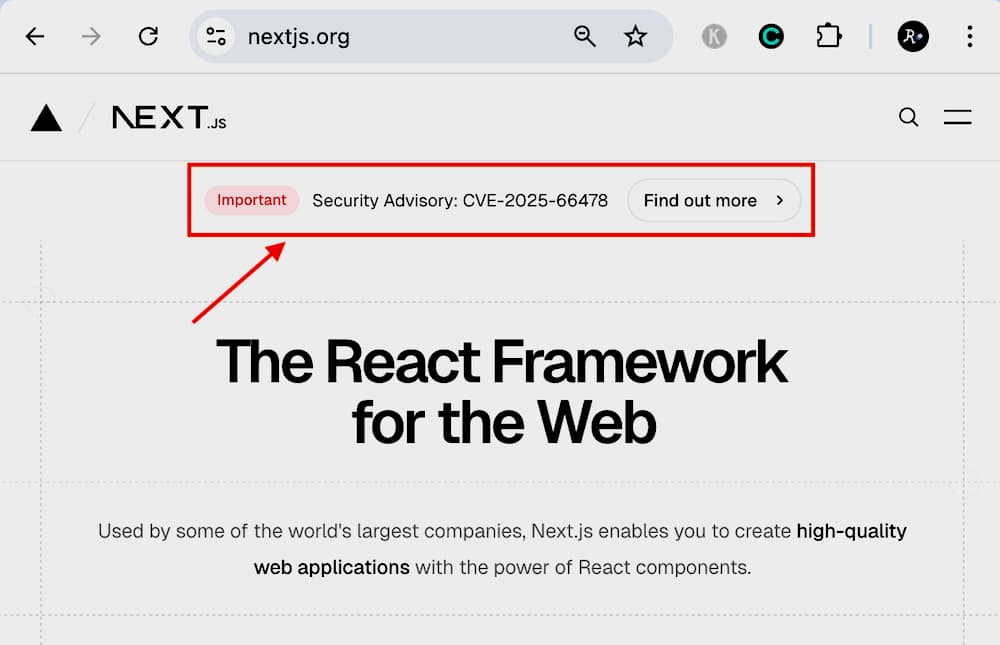
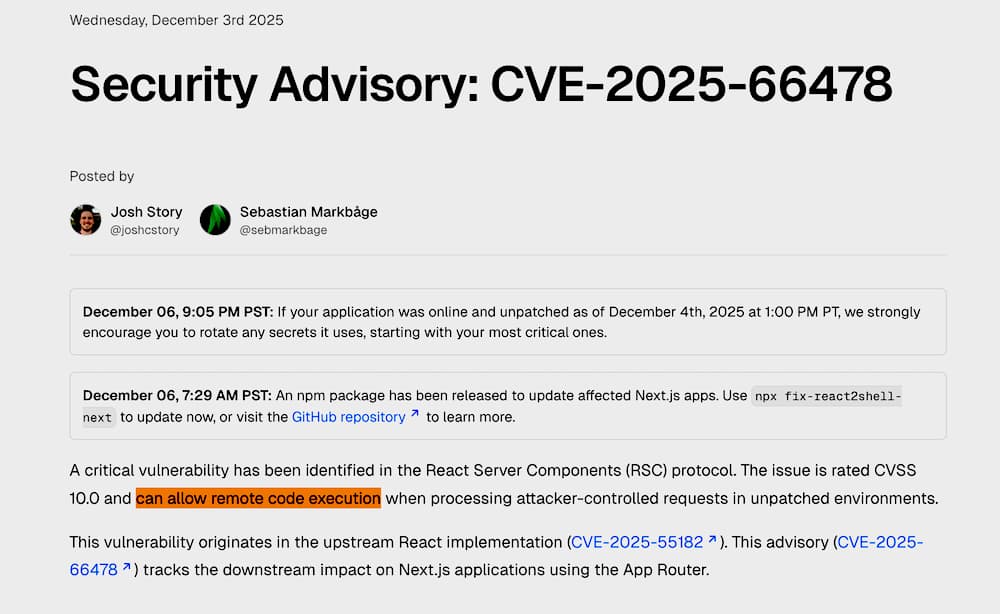
Just days after deployment, the tech world was hit by CVE-2025-66478 critical RCE (Remote Code Execution) vulnerability in the React/Next.js ecosystem. It was a "Level 10" earthquake.
I saw the traffic in my logs. Hackers were literally walking through the front door, exploiting the framework's vulnerability. I saw commands like test -f /root/.env attempting to execute on my server. It was terrifying to watch in real-time.

The Verdict: Why I Survived
→ The hackers left empty-handed.
Although they bypassed the application layer (due to the framework bug), my server architecture held the line:
(Top Most IMPORTANT!) No Root Access: They couldn't touch system files. Can you see their test -f /root/.env attempts failing?
Permission Isolation: They couldn't read the secrets. Defense in Depth: My security layers turned a potential disaster into a minor nuisance.
Only Famous websites attract DDOS?
Rule of Thumb: Create a robots.txt in your /public/ folder to politely (or firmly) tell them to back off.
Stay Alert: Subscribe to Security Updates
This "Level 10" vulnerability was published in almost every major security group, but if you weren't listening, you wouldn't know until it was too late.
Final Word
To be very frank, the more budget and resources your team has, the better equipped you are to protect your web app. However, even for a startup or a SOHO developer, there are tools to protect you from most risks.
Auto Backup (Daily / Weekly): Your safety net. Recovery Guideline: Write a step-by-step guide for recovery. Practice it once. You won't panic even if your server is a "total loss." Post-Mortem Analysis: After recovery, analyze the logs. Review and record the solution. We learn from mistakes. Keep this documentation well—it is your most important asset. Remote Monitoring: Invest a small budget in uptime monitoring tools. Let them ping your web app every 10 minutes. If the response is improper, get an email or SMS immediately.
Conclusion: Tanks vs. Sports Cars
Django will always be that reliable tank, but learning to drive the "sports car" of Next.js has made me a better driver (and Server Admin).
Vulnerabilities are inevitable, but architecture is your choice.
Update your Next.js versions now, and stay safe out there!
Immediate Action for all Next.js project owners ↓↓
Next.js security advisory (CVE-2025-66478)
React security advisory (CVE-2025-55182)
Other References
React blog: Critical Security Vulnerability in React Server Components
Vercel Knowledge Base: React2Shell Security Bulletin
Netlify Blog: Netlify's response to the critical React security vulnerability
Google Cloud Blog: Responding to CVE-2025-55182: Secure your React and Next.js workloads
Akamai Blog: CVE-2025-55182: React and Next.js Server Functions Deserialization RCE