![[8-Day Closmore SaaS Challenge] Day 5-6 — "What If...?"](/media/postuploads/error-handling-code-for-Closmore-SaaS-Day-5-6-What-if-audit-1.jpg)
By the end of Day 4, the whole solution was working.
The data flowed, the AI drafted, the DB saved.✌🏻
This is the moment most startups start celebrating. I wanted to, too!
But I didn’t. I remembered the "!" from my past career.
In my Day 0 post, I shared a lesson: ignored questions become expensive surprises. The "!" happens in name field crashed the system.
So Day 5–6 was not a "sprint." It was an Honest Audit.
I spent 48 hours extensively asking : "What if...?"
and the mini-CRM as well.
I assumed the role of the user (the salesperson). I went through every step to see what I could break.
Day 5 -The Audit Checklist: Hunting the "!"
To protect the system, I had to cover every vulnerability across the frontend and backend.
1. Security & Data Integrity
- Input Validation: Testing for accidental symbols, length control, and insecure injection.
- Gateway Validation: Ensuring both the frontend and the backend gateway validate every request.
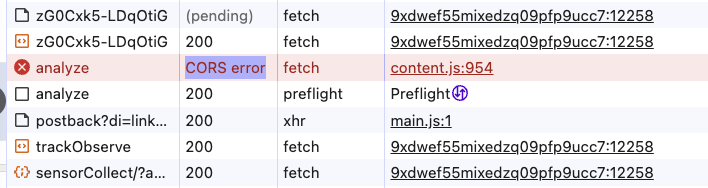
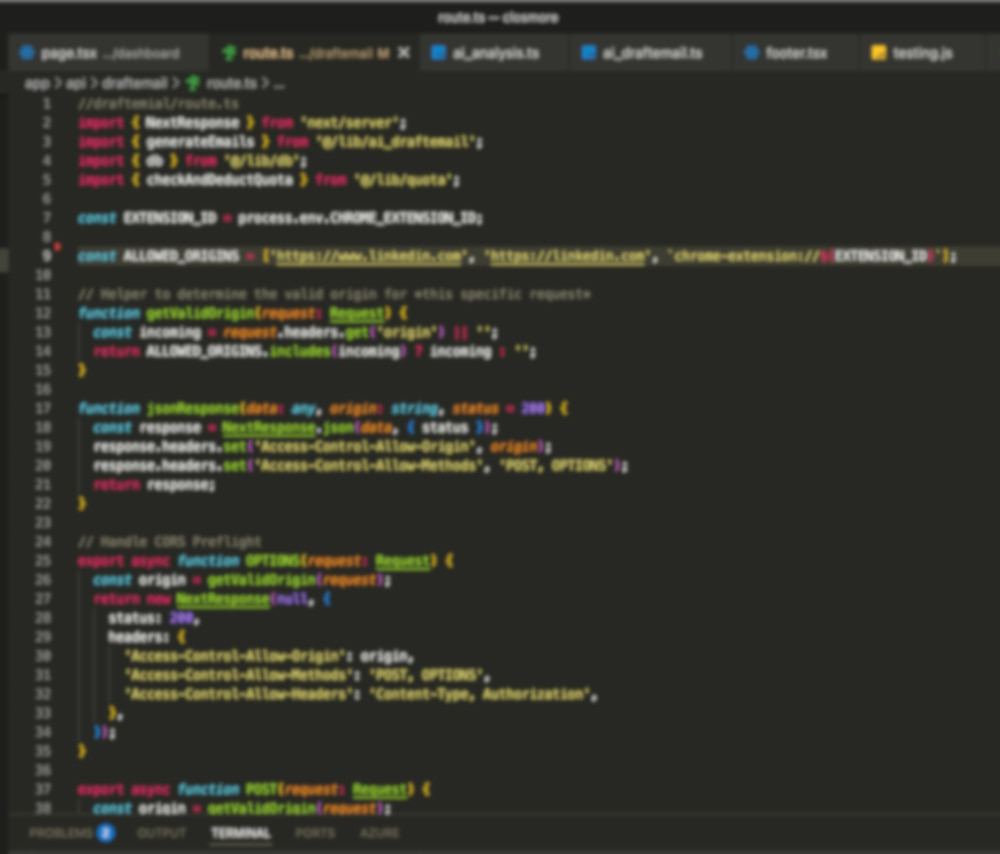
- Security Headers & CORS: Hardening the API to ensure it only accepts requests from the authorized extension.
2. System Communication (The User Trust Layer)
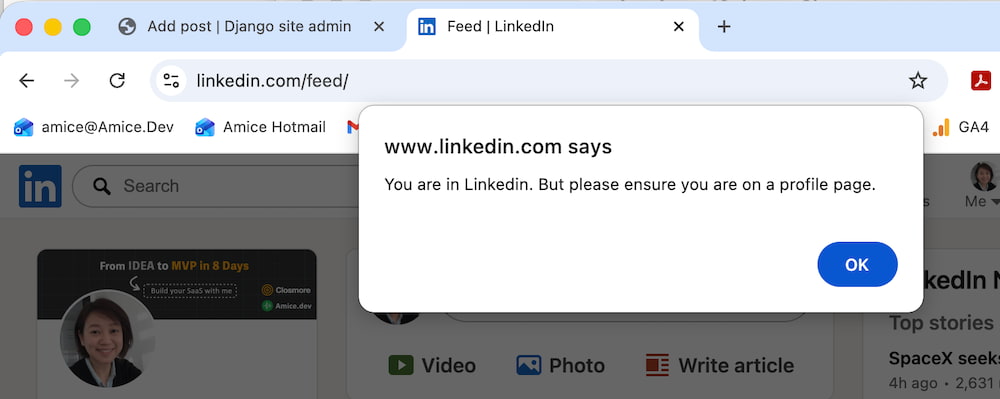
- Explicit Error Messaging: Adding warning messages for every step. If the system fails, it must communicate, not stay silent.
- Loading States: Making "loading" and "retry" behaviors explicit so the user is never left guessing.
- End-to-End Continuity: Verifying the flow feels like one continuous, reliable experience.
3. Technical Resilience (The Failure Map)
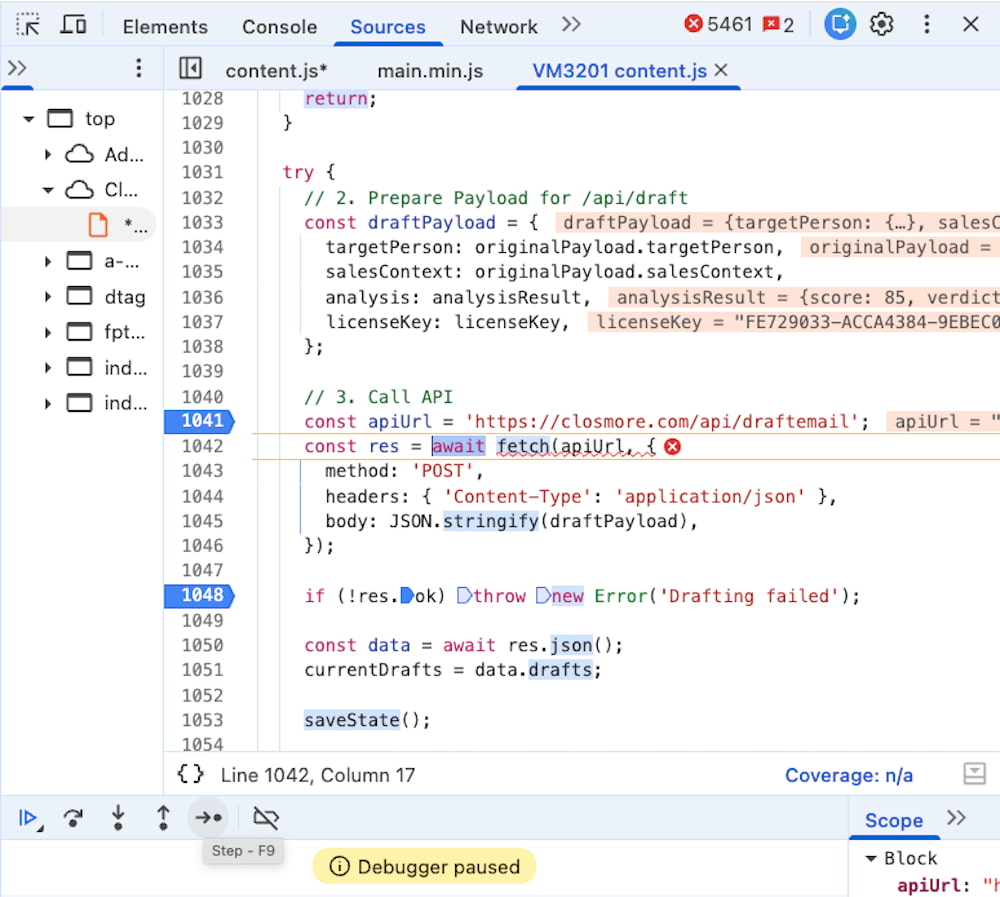
- API Reliability: Handling API failures and the "acceptance of request" logic.
- AI Robustness: Mapping failures in the AI response and the data extraction.
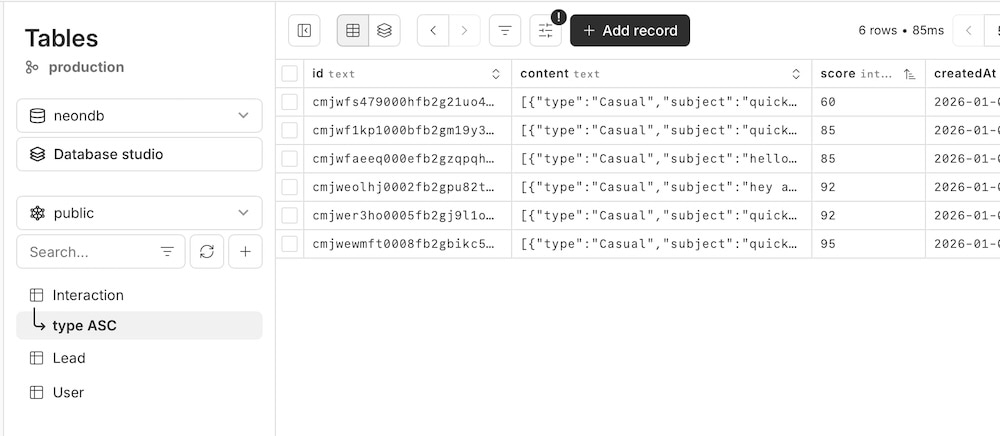
- Database Stability: Stress-testing every database read and write.
Risk Management: The Salesperson’s Intuition
This audit is similar to how a salesperson thinks about a high-stakes deal.
My old boss used to say:
“Amice, what is the risk factor that will make us lose this deal? Let's handle it now.”
I applied that same logic to the code.
The result of the audit?
Most of it worked. But once I started testing the extension seriously, two "Silent Killers" became impossible to ignore:
- The Refresh Trap: Some data capture still required a manual page refresh.
- The Context Loss: The popup state was lost when switching browser tabs. The process had to start over.
I decided to handle these "Trust Killers" immediately after building the surface of the product on Day 6.
Day 6 — Giving the product a "Surface"
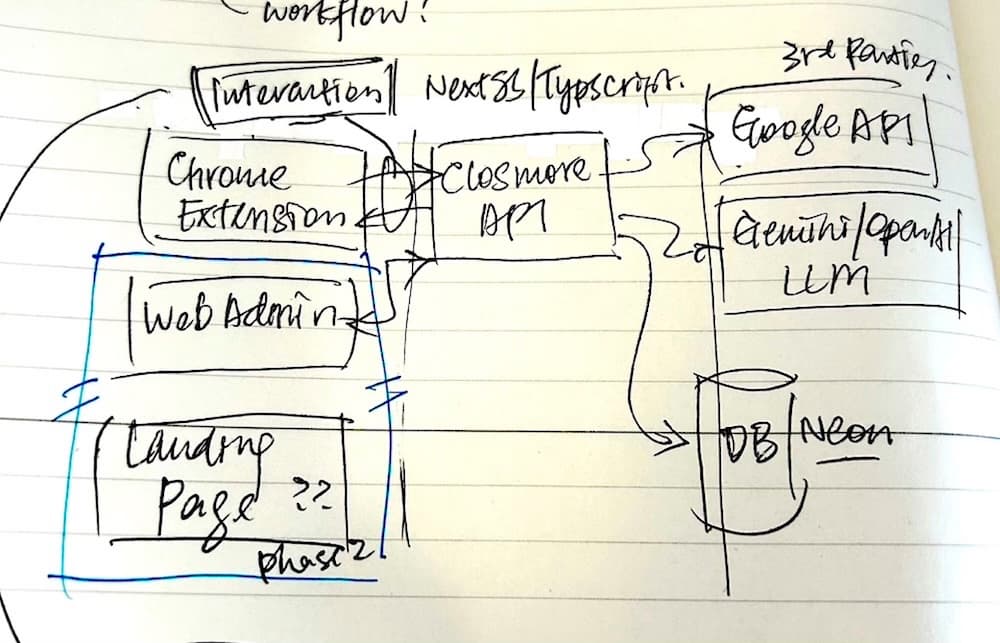
Remember my hand drawn in Day 1 ? The two little boxes in the bottom left are grouped as ONE.
ie. closmore.com (the Baby just born 🐣)
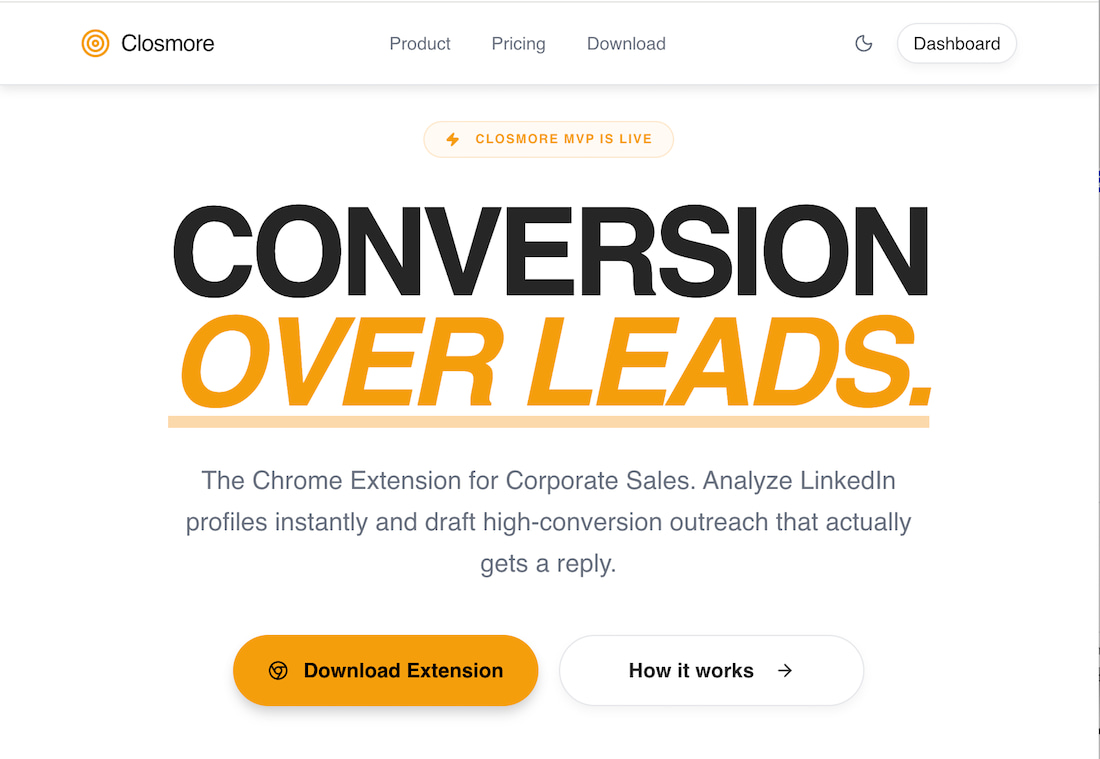
The Landing Page (closmore.com)
I built the landing page to define the product. Writing the copy forced me to clarify the "why" behind the "how."
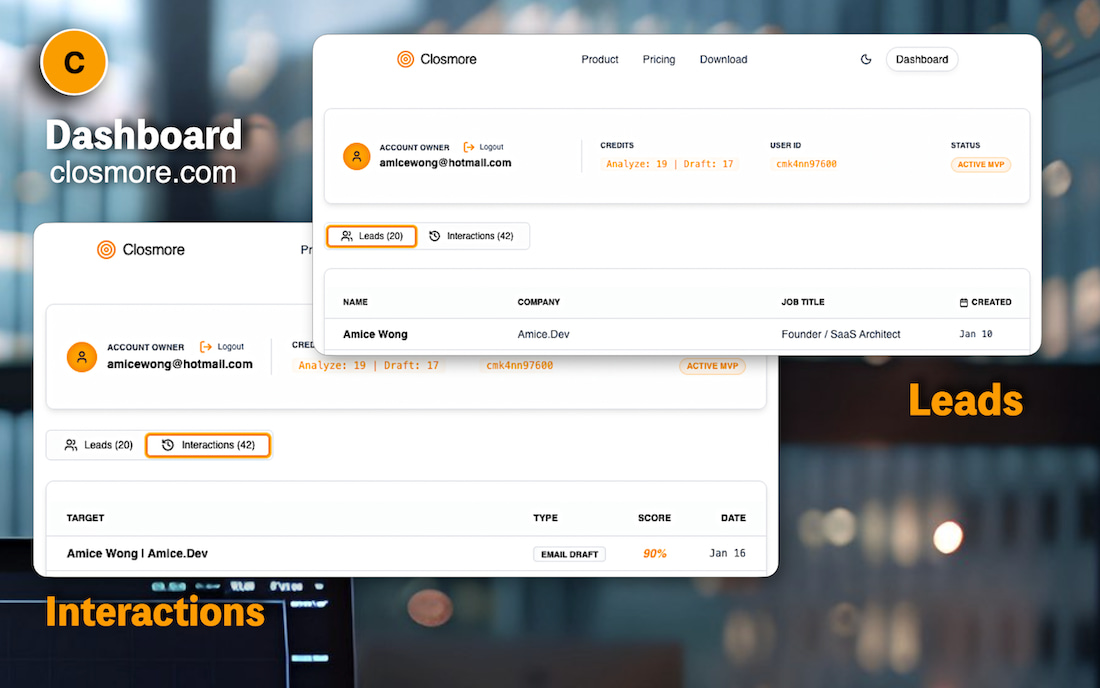
The Mini-CRM (The Dashboard)
- Login via license key.
- The "History" table: Reading directly from the database I prepared on Day 4.
By the end of Day 6, with the dashboard in place, the result was clear
- The full flow was functional
- The UX was understandable
- Failure paths were visible and manageable
- The product was stable enough to move toward real usage
It was no longer just an MVP flow.
It was a system ready to be taken seriously.
Referring back to my plan in Day 1, I finished my task One Day earlier!
I decided to spend my Day 7 do the big change.
Next: Day 7 -- Big Surgery took place
Let’s Build Together
I’m building Closmore in 8 days to prove that speed is useless without Trust.
- Looking for a Technical Partner?
If you have a SaaS idea and need a partner who understands both "Sales Excellence" and "High-Integrity Engineering," let’s talk. I help founders launch MVPs that don't just "work"—they survive real-world usage. - Want to join the Closmore Early Trial?
I am opening a limited number of slots for salespeople and founders who want to stop research fatigue and start sending better, AI-assisted emails.
Click here to book a strategy call. / Connect me via Linkedin.
#BuildInPublic #SaaS #SalesTech #Founder #MVP #ProductDesign #RiskManagement #AI #Entrepreneurship #HKSTP

![[8-Day Closmore SaaS Challenge] - NO Coding in Day 1](/media/postuploads/day-1-saas-mvp-architecture-closmore.jpg)
![[8-Day Closmore SaaS Challenge] Day 2 — Why Tools Didn’t Save Me](/media/postuploads/amice-8-day-SaaS-MVP-closmore-blog-day2-AI-Monday-Jira-Save-Me_Gsd4lYw.jpg)
![[8-Day Closmore SaaS Challenge] Day 3–4 — Why Closmore Was Built by a Salesperson](/media/postuploads/closemore-SaaS-built-by-salesperson-amice-day3-0.jpg)
![[8-Day Closmore SaaS Challenge] Day 7 — From “working” to “shippable” (From MVP to 1.0)](/media/postuploads/Closmore-Extension-Popup-Sidebar.jpg)
![[8-Day Closmore SaaS Challenge] Day 8 — Commercially Real — License & Billing](/media/postuploads/Closmore-licence-commerically-real.jpg)