![[8-Day Closmore SaaS Challenge] Day 3–4 — Why Closmore Was Built by a Salesperson](/media/postuploads/closemore-SaaS-built-by-salesperson-amice-day3-0.jpg)
By Day 3 and Day 4, the system stopped being “infrastructure.” It became a workflow. Not a dashboard. Not a feature list. A sales process.
Why I designed it this way
I love programming. But I didn’t start my career as an engineer. I started in sales.
I didn't just "do" sales—I obsessed over it. I won Sales Excellence Awards and was also named Employee of the Year. Later, I took that high-performance mindset into tech—receiving HKSTP funding, growing a SaaS product to 150,000 users, and reaching break-even in year three.
That background changes how I design tools. Most sales software is built: Features first. Sales workflow later. I did the opposite.
Sales is outcome-driven, not tool-driven
Salespeople don’t wake up wanting more CRM fields. They just want to know:
- Is this lead worth my time?
- When have I contact them before?
- What should I say this time?
Closmore is designed around those three questions.
The Workflow: A Qualified Outreach System
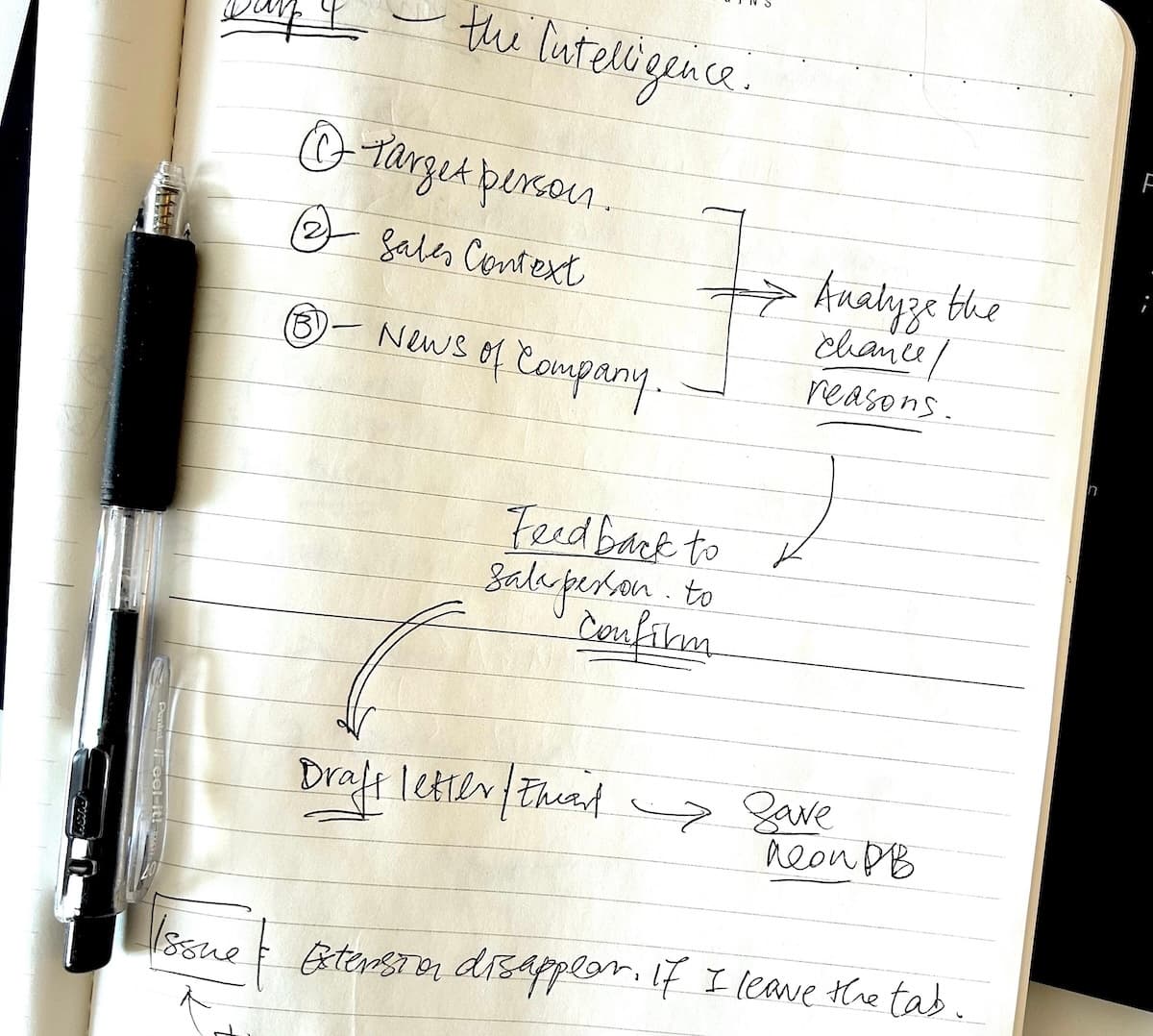
Across Day 3 and 4, I built the "Heart" of the system. This is how the pipeline actually works:
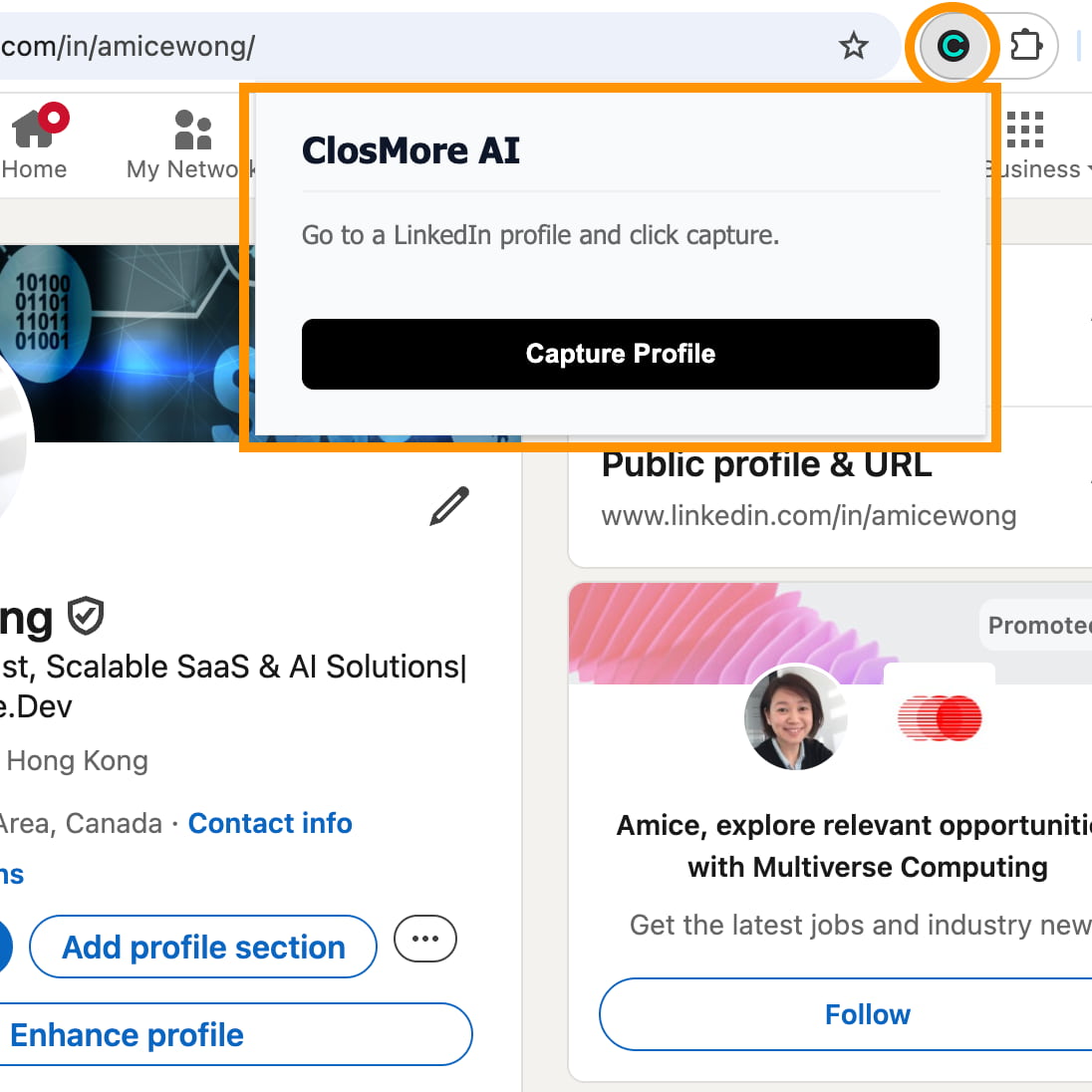
1. Capture — One Click
From any LinkedIn profile, the extension pulls:
- Name & Job Title
- Company Name
- 'About' section
- Full Experience history
(This was the hardest technical part, finished earlier.)
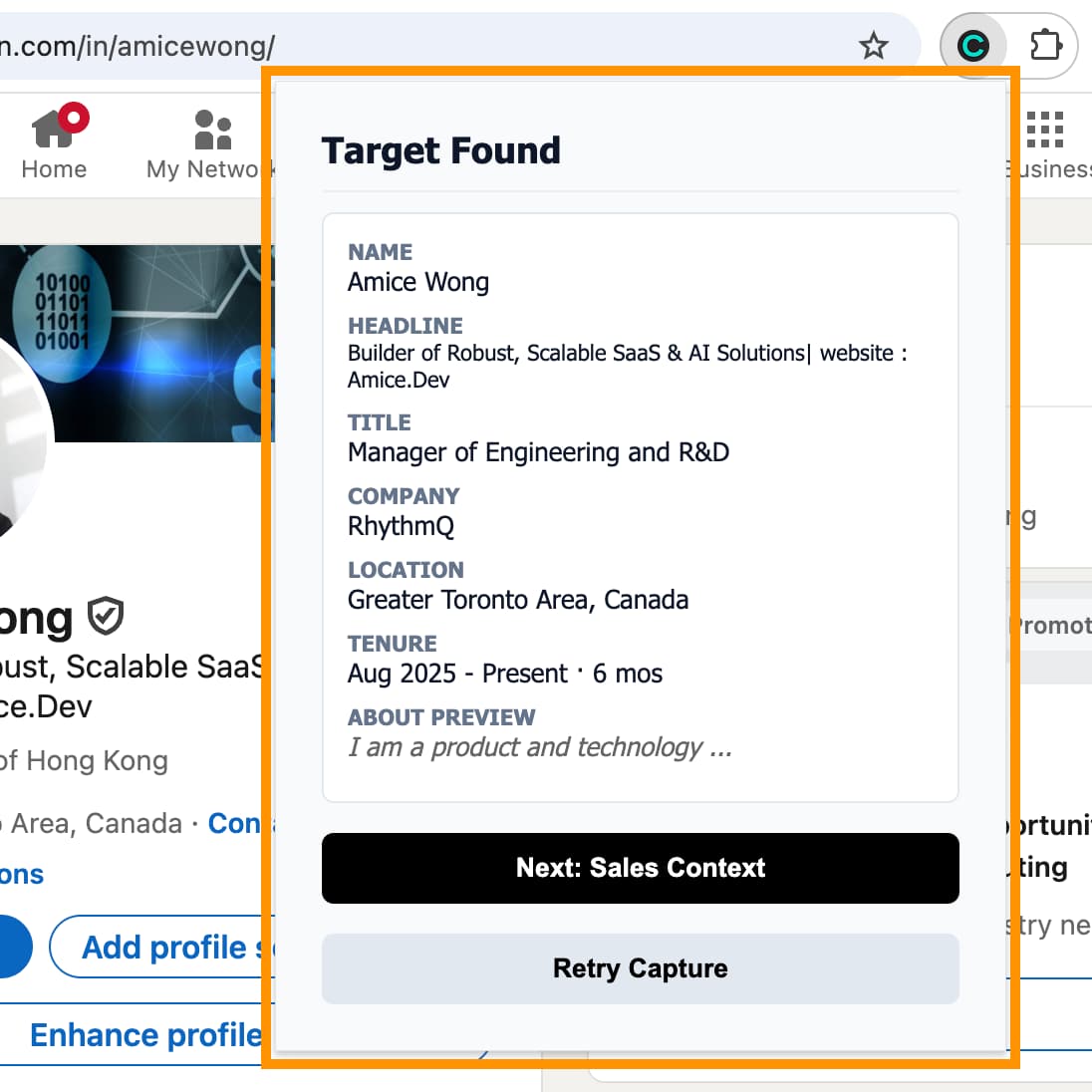
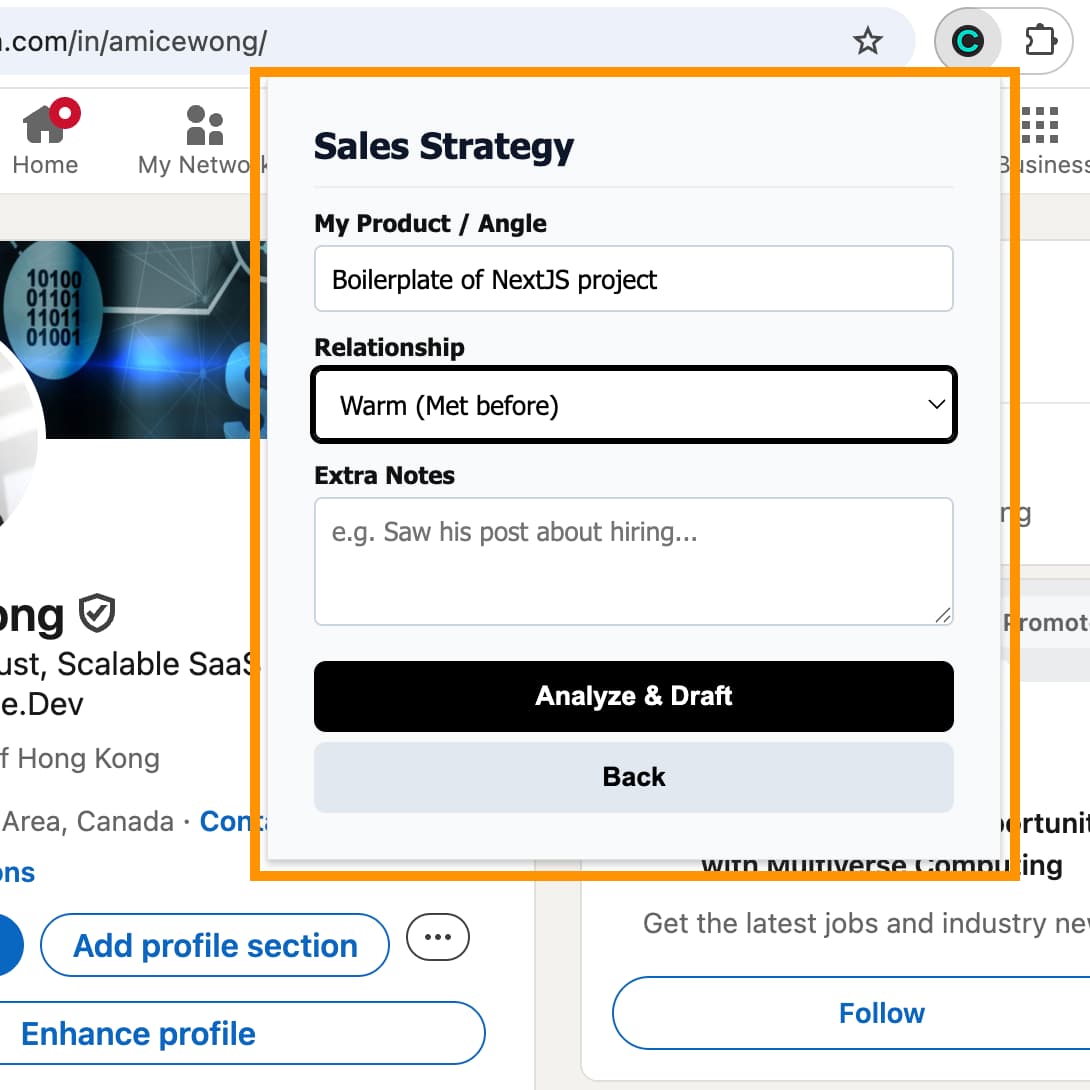
2. Sales Context — Human Judgment
No AI knows your real sales strategy. The user must provide the "human" layer:
- Product: What are you selling?
- Stage: Cold, Warm, or Follow-up?
- Notes: Any specific context?
3. Analyze — AI as Strategist, not just a writer
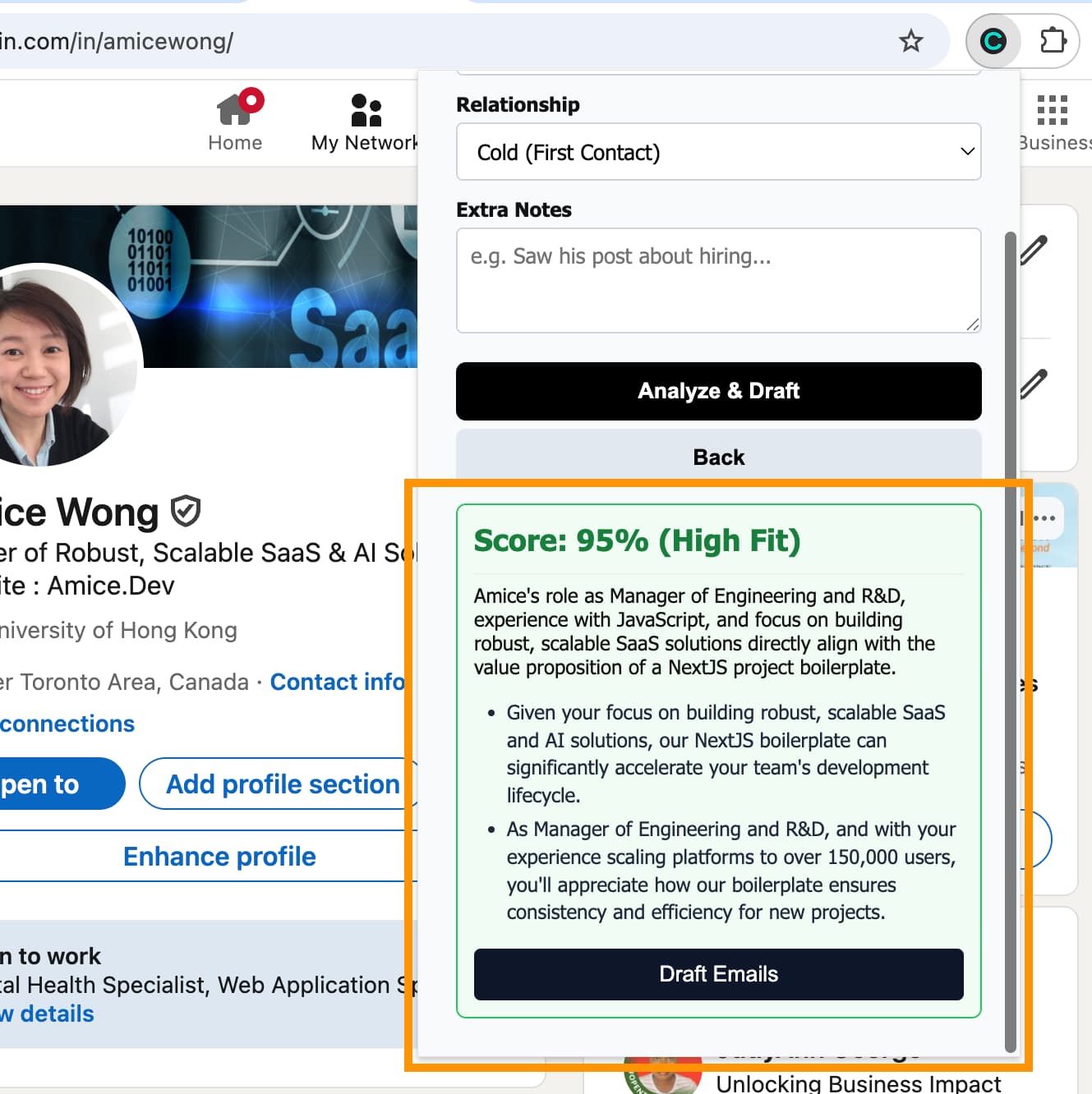
The backend digests the data and automatically searches for company news, hiring trends, and funding.
- Enrichment: Finds recent Series B rounds or dev-hiring trends.
- Output: Gives a Fit Score (%) and Reasoning.
- Example: "They just raised Series B and are hiring frontend devs—this matches your dev-tool product."
If the chance is low, stop. That is how real funnels work.
4. Draft — Assisted Writing
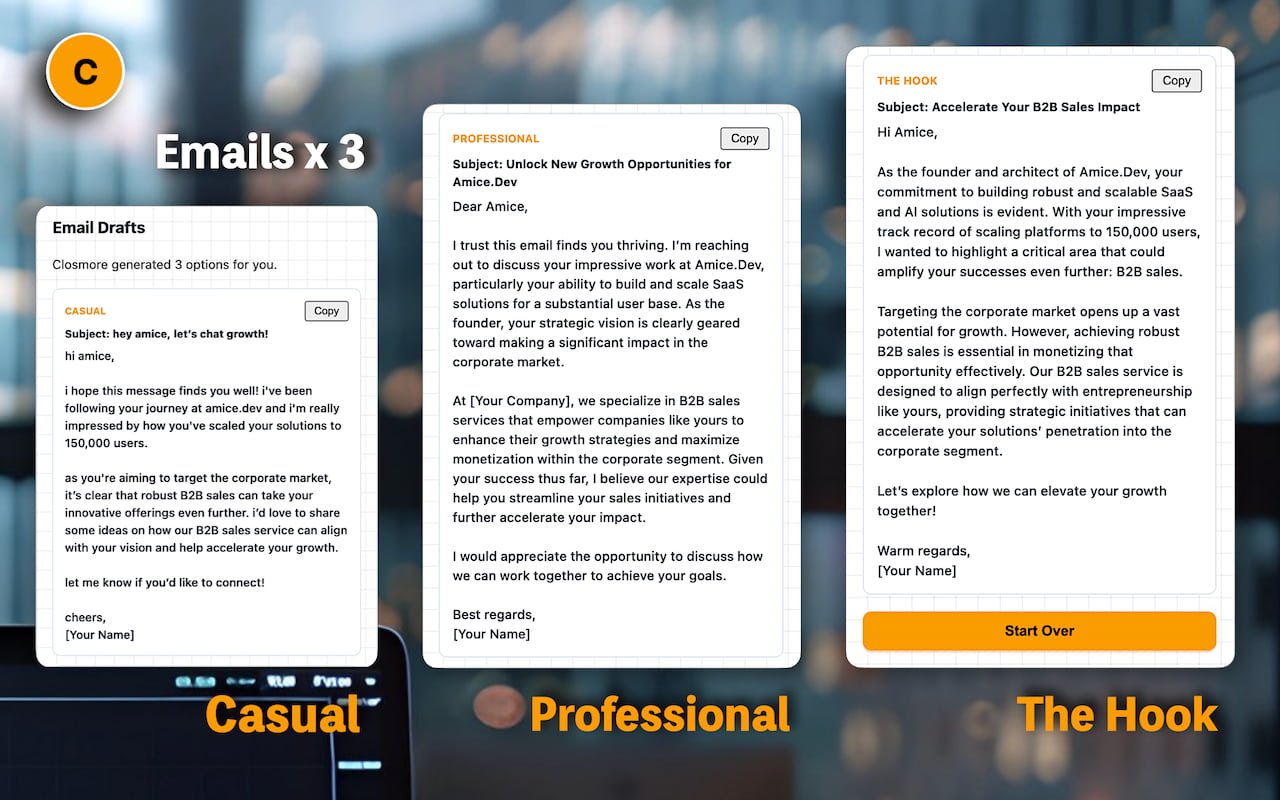
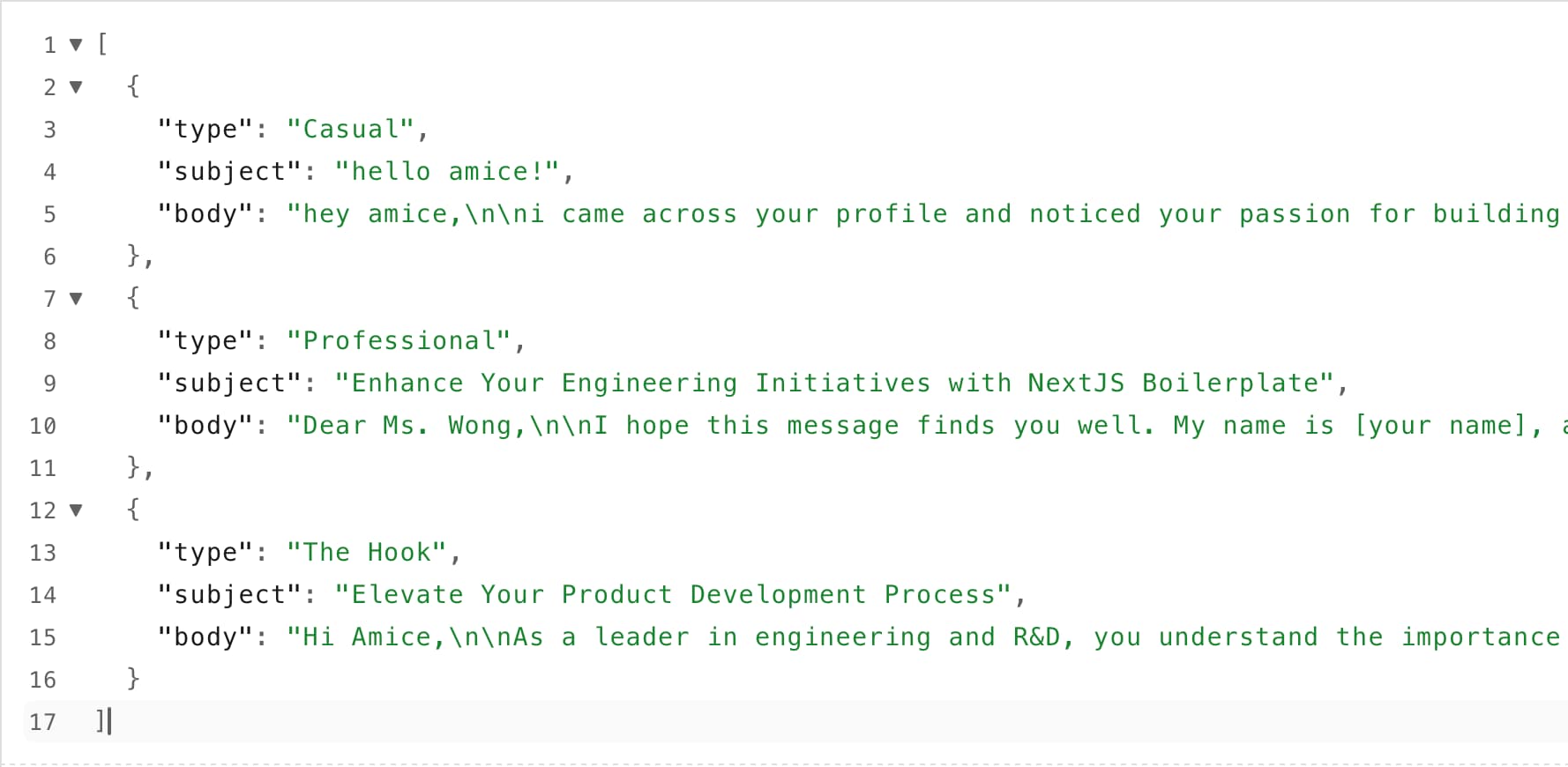
If the user proceeds, the AI generates 3 email options (Casual, Formal, Short). Each one is anchored to the real-world news found in step 3. No "Blank Page" problem.
5. Track — Stored (Later: CRM Lite)
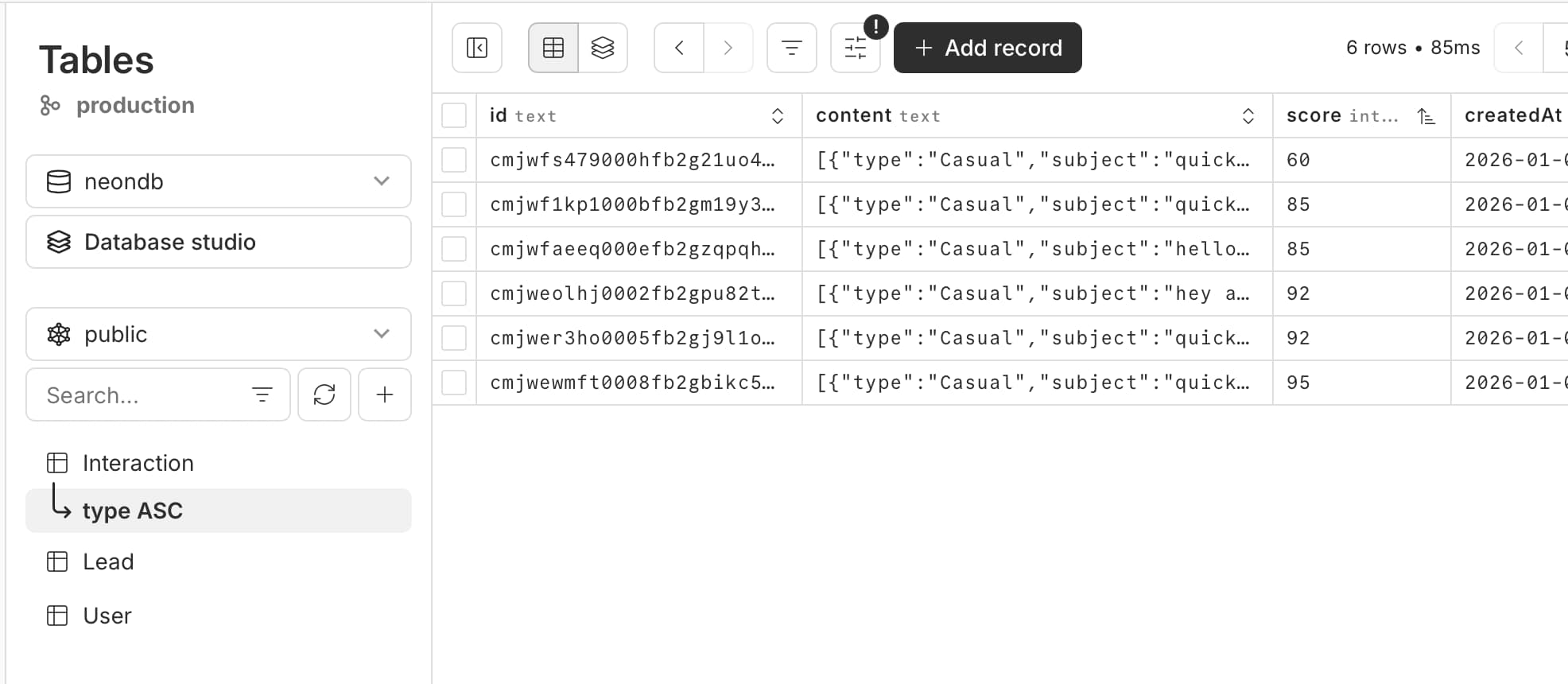
No "Sales Theater." Just memory. Next time you open that profile: "You contacted this person on Dec 28."
What Closmore really solves
I built this to fix the three big killers of productivity I saw in my sales career:
- Research fatigue → Automated.
- Blank-page problem → Solved.
- Follow-up memory → Built-in.
The "Aha" Moment on Day 4
By the end of Day 4, the pieces became a product. The extension captured data. The backend analyzed it. The database stored it.
Not polished. Not commercial. But complete. It was the moment when Closmore stopped being an idea and became a working pipeline.
Next: Day 5–6 — Designing for Error
Let’s Build Together
I’m building Closmore in 8 days to prove that the best software is built by people who understand the business outcome, not just the code.
- Looking for a Technical Partner? If you have a SaaS idea and need a partner with Sales Excellence Awards and HKSTP funding experience, let’s connect. I build MVPs that drive revenue.
- Want to try Closmore? I am opening a limited number of slots for early trial users. If you want to stop research fatigue and start sending better sales emails, contact me.
Click here to book a strategy call. / Connect me via Linkedin.
#BuildInPublic #SaaS #SalesTech #Founder #MVP #ProductDesign #AI #Entrepreneurship

![[8-Day Closmore SaaS Challenge] - NO Coding in Day 1](/media/postuploads/day-1-saas-mvp-architecture-closmore.jpg)
![[8-Day Closmore SaaS Challenge] Day 2 — Why Tools Didn’t Save Me](/media/postuploads/amice-8-day-SaaS-MVP-closmore-blog-day2-AI-Monday-Jira-Save-Me_Gsd4lYw.jpg)
![[8-Day Closmore SaaS Challenge] Day 5-6 — "What If...?"](/media/postuploads/error-handling-code-for-Closmore-SaaS-Day-5-6-What-if-audit-1.jpg)
![[8-Day Closmore SaaS Challenge] Day 7 — From “working” to “shippable” (From MVP to 1.0)](/media/postuploads/Closmore-Extension-Popup-Sidebar.jpg)
![[8-Day Closmore SaaS Challenge] Day 8 — Commercially Real — License & Billing](/media/postuploads/Closmore-licence-commerically-real.jpg)